Bot rewrite, SMS handover, your follow-up ladders, and the scoreboard fixes — with every line of copy and the evidence behind each recommendation.
2026-07-29 · nothing here has been applied · every item is reversible
1 What I need from you
Five decisions. Everything else on this page I can do without asking.
1. Ship the bot rewrite your call
Phone first, city never blocks, photos welcomed. Section 3 has every before/after line. It changes what real homeowners read, so I won't do it quietly.
2. The four SMS ladders — read or arm? your call
You said arm autosend fully. These four have never been signed off. Section 6 has the current draft and my recommended version of all twelve messages. Read them, or tell me to arm as-is.
3. The consent line your callliability
A number given in Messenger is not permission to run an automated text sequence. One message can go today; three cannot. Section 5 has the fix and what it costs.
4. Where SMS lives your call
Level King gets its own sub-account, or SMS runs without a bot for now. I'd do the second as a proof and the first as the destination.
5. Two screens in GoHighLevel only you can
Agents can't drive that builder. Section 8 has the exact click paths.
Already yours, no approval needed. The ZIP filter deletion, the rolling enrichment fix, and the scoreboard corrections change nothing anyone receives. Say go and they're done today.
2 Why the bot rewrite — the defense
Nine of your twenty-six Facebook leads have no phone number on record. Five of those said stop or not-interested. The other four went quiet mid-conversation and were never plainly asked for a number.
That isn't the bot being lazy. It's the bot doing exactly what it was told.
The bot asks for the ZIP before the phone in six places
These aren't in the script you'd think to check. They're in the saved answers — what actually runs when someone asks a question instead of following the flow. Verbatim, live right now:
live — "how much does it cost?"
honestly it depends on your property and project. can you send me your zip rq just so I can make sure we service your area?
Price is the highest-intent question a homeowner asks. Answering it with a ZIP request is the fastest way to make someone stop replying.
The bot turns away photos people are already sending
Seven homeowners have sent nine photos into that inbox unprompted. Every one landed on this:
live — personality field
If the lead sends an attachment: "thanks for sending that over — I can't view attachments but I'll pass it to our estimator."
Mei Flower offered pictures at 05:54 this morning, got that answer, and never came back. She's still reachable in Messenger.
And it can tell a real customer to go away
live — goal step 4
Out of area: "looks like that's outside the area we cover. sorry about that!"
Why this is safe to delete. Your ads only run to five cities plus a ten-mile radius. Meta has already done the geographic filtering before anyone reaches the bot. A second filter inside the conversation can only ever reject people Meta already approved.
3 Bot copy — every line, before and after
Every "before" below was fetched live from GoHighLevel this morning, byte for byte. Nothing is reconstructed from notes.
One correction to what I told you earlier: it's six ZIP-first answers, not seven. The seventh already asked for the phone first — its problem is a rejection line instead. Three additional answers ask for a number without the word "text", which quietly breaks SMS consent on those leads.
3.1 — Photos (personality field)
before
If the lead sends an attachment: "thanks for sending that over — I can't view attachments but I'll pass it to our estimator."
after
If the lead sends a photo or attachment: "nice, thanks — that helps a lot. our estimator will take a look." Never tell a lead you can't view it, never ask them to describe it instead, and never treat a photo as something you were waiting on.
Why: a photo arriving unprompted is the strongest buying signal in the inbox, and right now the only scripted response is a brush-off.
3.2 — The phone ask (goal step 3)
before
3. PHONE + ZIP — ask for both in one message if both are missing:
"got it! what's the best phone number, and what's the project zip code?"
If only phone missing: "what's the best number for our estimator to reach you?"
If only zip missing: "what's the 5-digit zip for the project?"
after
3. PHONE — this is the one thing we actually need. Ask for it on its own, and always use the word "text":
"got it! what's the best number for our estimator to call or text you about this?"
If they won't give a number: "no worries — what's the best email instead?"
Why: asking for two things at once lets someone answer neither. The word "text" is what creates your SMS consent record.
3.3 — Photos, as a step (new)
new step 4
4. PHOTO — ask ONCE, right after you have the number, and never bring it up again:
"if you can snap a photo of the area, it helps them quote it faster — totally optional."
If they send one: "nice, thanks — that helps a lot." If they don't, or say no, drop it and keep going. A photo is never required for anything.
Why: photos speed up the quote, and asking after the phone means a no costs you nothing.
3.4 — City stops being a gate (new step 5, replaces the area check)
before — goal step 4
4. SERVICE-AREA CHECK — confirm the zip/city is in the service area (see the area rule section).
In area: continue to handoff.
Out of area: "looks like that's outside the area we cover. sorry about that!"
after
5. CITY — never a gate. If the chat already tells you their city, use it and don't ask. If it doesn't, ask once, casually: "and what city is the project in?"
If they skip it or give something vague, let it go and keep going. Never ask for a zip before a phone number, and never tell anyone they're outside the area.
Why: this is the sentence that authorises the bot to end a conversation over geography.
3.5 — Handoff
before — goal step 5
5. HANDOFF — only when ALL are true: phone = 10 digits (or email if they refuse a phone), zip = 5 digits, service area verified. Never hand off with an unvalidated phone or zip.
after — goal step 6
6. HANDOFF — hand off as soon as you have BOTH: a 10-digit phone number (or an email if they refused a phone) AND what the project is. Never wait on a city, a zip, or a photo.
Why: today a lead who gives a number and says "sunken driveway" still sits unsent because he never typed five digits. Note this is phone AND project — the earlier draft handed off on phone alone, which didn't match your rule.
3.6 — The service area rule (instructions)
before
SERVICE AREA RULE (for the area check in step 4):
Rule: qualify any project within about 40 miles of the anchor ZIP, using the city list to resolve ambiguous city names. There is no hard ZIP allowlist, so do not invent one. If the city/zip is clearly in or near the covered cities, treat it as in-area; if it's clearly far outside, treat it as out-of-area.
after
SERVICE AREA (background only — never a gate):
Rule: where someone lives NEVER disqualifies them and NEVER holds up the handoff. Use the city list only to answer "do you cover me?" with a yes. If they name a city that isn't on the list, say "got it" and keep going — our estimator works out distance, not you. Never ask for a zip before a phone number, and never tell a lead they're outside our area.
3.7 — The six ZIP-first answers
"Do you fix [service]?"
before
we can help! send me your zip code so I can confirm we service your area. (once area confirmed: "we can help! what's the best phone number for our estimator to reach you?")
after
we can help! what's the best number for our estimator to call or text you about it?
Why: someone asking if you fix sunken driveways is ready to buy. A ZIP lookup first is a round trip you lose people in.
"How much does it cost?" (first time)
before
honestly it depends on your property and project. can you send me your zip rq just so I can make sure we service your area? (once area confirmed: "...if you send me your best phone number I can have our estimator reach out for a fast estimate asap")
after
honestly it depends on your property and project. what's the best number for our estimator to call or text you with a real price?
Technical / DIY question
before
tbh I'm not sure, I'm just the page admin. my job is to grab your info and pass it to our estimator. send me your zip code so I can confirm we service your area (once area confirmed: "...what's the best number to reach you at?")
after
tbh I'm not sure, I'm just the page admin. my job is to grab your info and pass it to our estimator — what's the best number for them to call or text you?
"Where do you service?"
before
we service Denton and all surrounding areas. send me your zip code so I can confirm we service your area (once area confirmed: "...what's the best phone number for our estimator to reach you?")
after
we cover Denton and all the surrounding areas. what's the best number for our estimator to call or text you about your project?
Why: they asked a question and got a question back. This answers it.
"How much does it cost?" (asked again)
before
send me your zip first so I can confirm we service your area (once area confirmed, no phone yet: "Our estimator will definitely be able to answer that for you. Send your number and he'll reach out to chat about your project")
after
our estimator can give you a real number once he sees it. what's the best number for him to call or text you?
Why: a second price question means they're still in it. "Send me your zip first" is the exact wall that ends those threads.
"Are estimates free?"
before
yes, all estimates are free! just need your zip so I can confirm we service your area (once area confirmed: "...just send me your best number and I'll have our estimator reach out asap")
after
yes, all estimates are free! what's the best number for our estimator to call or text you to set one up?
3.8 — The rejection line
before — "do you service [city]?"
yep, we service [city] and the surrounding areas. just send me your phone number and I'll get you set up with a fast estimate (if not serviceable: "looks like that area is outside the area we cover. sorry about that!")
after
yep, we cover [city] and the surrounding areas. what's the best number for our estimator to call or text you about it?
Why: this one already asked for the phone first. The only change is deleting the branch that hangs up on anyone whose city the bot doesn't recognise.
3.9 — Three answers missing the word "text"
Question
Before
After
Can I call you?
…or if you send me your number I can have someone call you
…or send me your number and I'll have our estimator call or text you
I'm an existing customer
got it — what's the best number so I can have the team follow up?
got it — what's the best number for the team to call or text you back on?
Are you the contractor?
…what's the best number to reach you at?
…what's the best number for them to call or text you?
Why: every phone ask that doesn't say "text" collects a number you're not cleanly allowed to text — which kills SMS follow-up on that lead.
3.10 — New answer: unprompted photo
new
nice, thanks — that helps a lot. what's the best number for our estimator to call or text you about it?
Why: there is no answer for this today at all. It's your highest-intent moment.
3.11 — The handoff trigger
before
(1) they named a service we offer; (2) they gave a phone number OR a ZIP/city; (3) they have not declined.
after
(1) they said what the project is; (2) they gave a phone number, or an email if they refused a phone; (3) they have not declined. A city or ZIP is NOT required and must NEVER block the trigger.
Why: the old rule lets a lead transfer on a city alone — with no way to reach them. The new one guarantees the estimator gets a number and a reason to call.
3.12 — The disqualify trigger
before
The lead's city/zip is confirmed outside our service area, OR the project type is confirmed outside what we offer, OR the lead is confirmed not qualified.
after
The project type is confirmed outside what we offer (new concrete pours, structural foundation repair, asphalt, resurfacing), OR the lead has clearly said they are not interested or have no project. Location NEVER triggers this - a city or ZIP outside our usual area is not a disqualifier and must never fire this action.
Why: this is the action that quietly buries a lead for living in the wrong suburb.
4 Backend transfer rules I can do these
Changing the bot's words fixes what people read. These four fix what the system does with them.
4.1 — A hard filter is deleting leads
The bridge drops any lead whose ZIP doesn't start with 75 or 76. Not demoted, not flagged — deleted before it ever reaches your database. This is the most direct violation of "city never disqualifies" anywhere in the stack. Thirty-minute fix.
4.2 — The system checks once, at the wrong moment
Lead-hood is decided the instant someone is tagged qualified — which by your own definition is before they could possibly have given a number. Danny LaPorta gave his 52 seconds later. Tim Wines gave his ten minutes later. Nothing looked again.
Fix: re-check on every inbound message until phone and project both exist. Two patches for this landed this morning; they're scoped too narrowly and I'd widen them.
4.3 — "City counts" isn't implementable as written
The quality check derives city from the ZIP. There's a comment in the code saying the bot's own city field can't be trusted because Jordan writes the service word into it. So today, no ZIP means no city either — and your rule can't take effect until that's fixed alongside the filter.
4.4 — The check is stricter than the sender
The sender needs phone or ZIP. The quality check demands phone and location. So a lead can clear the sender and get demoted a second later. That's what put Rocky Sanders in the needs-review pile with a perfectly good phone number — the check stamped "missing phone" seventeen seconds before he texted it.
Fix: both become phone + project details. One rule, one place.
5 SMS handover and consent your call
Facebook closes the chat 24 hours after someone's last message. So once you have a number, the conversation has to move to text or it dies. That part isn't optional.
The honest read on consent
Someone typing a phone number so an estimator can call about their driveway has consented to being called about that driveway. That covers a call, and arguably one human-typed text.
It does not cover an automated multi-day text sequence. That's a different permission, and it's the one carriers and the TCPA care about.
This has already bitten you once. On 10 July a real lead got texts at 4:48am and 5:05am and replied STOP. The quiet-hours guard was built in response. That guard fixes timing — it does nothing about consent.
What can send today vs what can't
Message
Today?
Why
Handover text, immediate
Yes
Transactional reply inside a conversation they started, seconds after they handed over the number for exactly this. Needs a STOP line added — it currently has none.
Day-2 nudge
No
Automated sequence. Not covered by "call me about my driveway".
Day-7 last call
No
Furthest from the original inquiry, highest complaint risk.
Hour-22 Messenger nudge
Yes
Messenger, not SMS. TCPA doesn't reach it.
The fix — one line, in one place
Your proposed wording is a real improvement and it's enough for the first text. It isn't enough for the ladder, which needs three things it's missing: that messages may be automated, a rates notice, and STOP given before they hand over the number.
Jordan asks for a phone number in eleven different places. Bolting a disclosure onto all eleven would wreck the voice and drift within a week. So instead — one mandatory turn, right before handoff, fired exactly once:
new — consent turn
perfect — before i pass this to our estimator: ok if we call or text you at {{phone}} about this job? texts may be automated, msg rates apply, reply STOP anytime.
Why one place: it's the only thing that has to be maintained, and what makes the ladder sendable is the stored record — timestamp, the exact words shown, and their reply — not the copy itself.
The messages
Handover, immediate sendable today
SMS
hey {{first_name}}, it's Jordan from Level King — the DFW Concrete Leveling & Repair page you just messaged.
moving us to text so we don't lose the thread when Facebook closes the chat. our estimator will reach out about the {{project_type}} shortly.
Reply STOP to unsubscribe.
Why it names the business twice: the sending number is a California area code registered to a Milwaukee company. Recognition has to come from the copy, because it won't come from the number.
Day 2 needs consent first
SMS
hey {{first_name}}, Jordan with Level King again. did our estimator get ahold of you about the {{project_type}}?
if not i'll have him try a different time.
Reply STOP to unsubscribe.
Why: catches the most common silent failure — the estimator called once, got voicemail, and nobody closed the loop.
Day 7, then park needs consent first
SMS
hey {{first_name}}, last one from me on the {{project_type}}.
i'll close out the file unless you still want the free estimate — just reply yes and i'll set it up.
Reply STOP to unsubscribe.
Why: a stated close-out is the highest-reply message in any ladder, and it ends cleanly instead of fading.
Hour 22 on Messenger, if no number was ever given
Messenger
hey {{first_name}}, facebook's about to close this chat on me.
drop your best number and our estimator can call or text you about the {{project_type}} — otherwise i'll close it out for now.
No STOP line on purpose: this is Messenger. A STOP instruction there would be the only unsubscribe they've ever seen on Facebook and would read as a scam.
I cut a message. There was a day-4 nudge. Day 2 asks a real question, day 7 forces a real decision, and day 4 said nothing between them except that four days had passed. It added a third automated touch to your consent exposure for no extra job. Three messages, not four.
The risk nobody has scoped. This ladder runs in parallel with Dan's estimator making his own calls, and nothing coordinates them. A homeowner who already spoke to the estimator on day 1 and gets "did he reach you?" on day 2 concludes Level King is disorganised — worse than sending nothing. The ladder must stop the moment a contact outcome is logged. If that hook doesn't exist, it's a prerequisite.
6 Your four SMS ladders your call
Approving the copy arms nothing. The consent gate rejects every contact in your database — all 196. Even the seven marked "captured" fail, because that word isn't in the accepted list. Flip autosend today and the ladders send zero messages to zero people and look broken. This has to ship with the approval, not after.
Good news on the Zoom problem: these four ladders are already clean. Every video and screen-share reference lives in the pre-call email pack — the one that fires the moment someone books. Fixes for that are at the end of this section.
Of the twelve messages, I'd change three and flag one.
Ladder 1 — New applicant
10 minutes and 24 hours: no change. The 10-minute message is the best in all four ladders — confirms receipt, asks one real question, no link, no pitch.
before — 3 days
whenever you're ready, grab a time and i'll walk you through how we'd fill your calendar: {{booking_link}}
after
whenever you're ready, grab a time here: {{booking_link}}
i'll send your preview over before we talk so you can pull it up on your phone while we're on the call.
Why: "i'll walk you through" implied you'd be driving a screen. This states the new mechanic plainly — link first, they look at it on their own phone, you talk.
Ladder 2 — No-show
10 minutes and 2 hours: no change. The 2-hour message — a human question, no link, no pressure — is the best beat in the ladder.
before — next morning
here's your booking link, {{first_name}} — {{booking_link}}
whenever works, i'll make it fit.
after
your preview's still up, {{first_name}} — {{preview_link}}
have a look, then grab a time whenever works: {{booking_link}}
Why: this isn't a style call — the ladder declares a preview link in its required variables and never renders it. That's a live defect. It's also the strongest asset for a no-show: the thing you built for them is still sitting there, which proves you did the work.
Ladder 3 — Post-call follow-up
Same day and 2 days: no change.
before — 5 days
ready when you are, {{first_name}} — grab a time here and we'll map it out: {{booking_link}}
after
still want the {{service_lines}} jobs, {{first_name}}?
if yes i'll just call you and we'll get it started — or grab a time here: {{booking_link}}
Why: they already had the call. Sending someone who's already talked to you back to a booking link is a step backwards, and "we'll map it out" is a second discovery call they didn't ask for. The direct call matches phone-first selling.
Ladder 4 — Long-term nurture
Day 3 and day 14: no change.
before — day 30
whenever the timing's right, this is the place to start: {{booking_link}}
No lead vendors. No depending on referrals. No expensive advertising.
after
{{first_name}} — worth another look, or should i quit bugging you?
if it's a yes: {{booking_link}}
Why: the weakest message across all four. Biggest ask, least context, thirty days after last contact. The "no lead vendors / no referrals / no expensive advertising" lines are your approved verbatim language and they earn their keep in an ad — in a one-to-one text to someone who's gone quiet, they read as a broadcast, which is the opposite of what a day-30 message is for.
Honest flag on ladder 4 as a whole: three touches over thirty days will not revive a cold contractor on their own. It's cheap and harmless so I'd keep it — but I wouldn't count it as pipeline and I wouldn't spend another rewrite cycle on it.
The Zoom fixes — these must ship at the same time
These are in the pre-call email pack, which is already signed. It's the first thing a new booking receives, so leaving it means the Zoom problem survives this approval.
before — 30 min after booking
Before we talk, watch this short video. It shows how the whole thing works: {video_link}
Then just show up. I'll walk you through your own preview live.
after
Before we talk, take a look at your preview — your Facebook ad and booking bot, built for your market: {preview_link}
Pull it up on your phone when I call and I'll walk you through it.
before — 2 hours prior
Here's your link: {zoom_link}
Be somewhere quiet where you can see my screen.
I'll walk you through your preview live.
after
We're on in about 2 hours, at {call_time}. I'll call you at {phone}.
Have your preview open so you can follow along: {preview_link}
Three things change together or this breaks. The copy, the calendar (it currently makes Google Meet links even though the copy says Zoom — both are wrong now), and the merge variables. If the copy changes and the variable list doesn't, the two-hour reminder renders a blank or a dead link at the worst possible moment.
7 Scoreboards — the evidence I can fix these
Your headline number is nearly double the truth
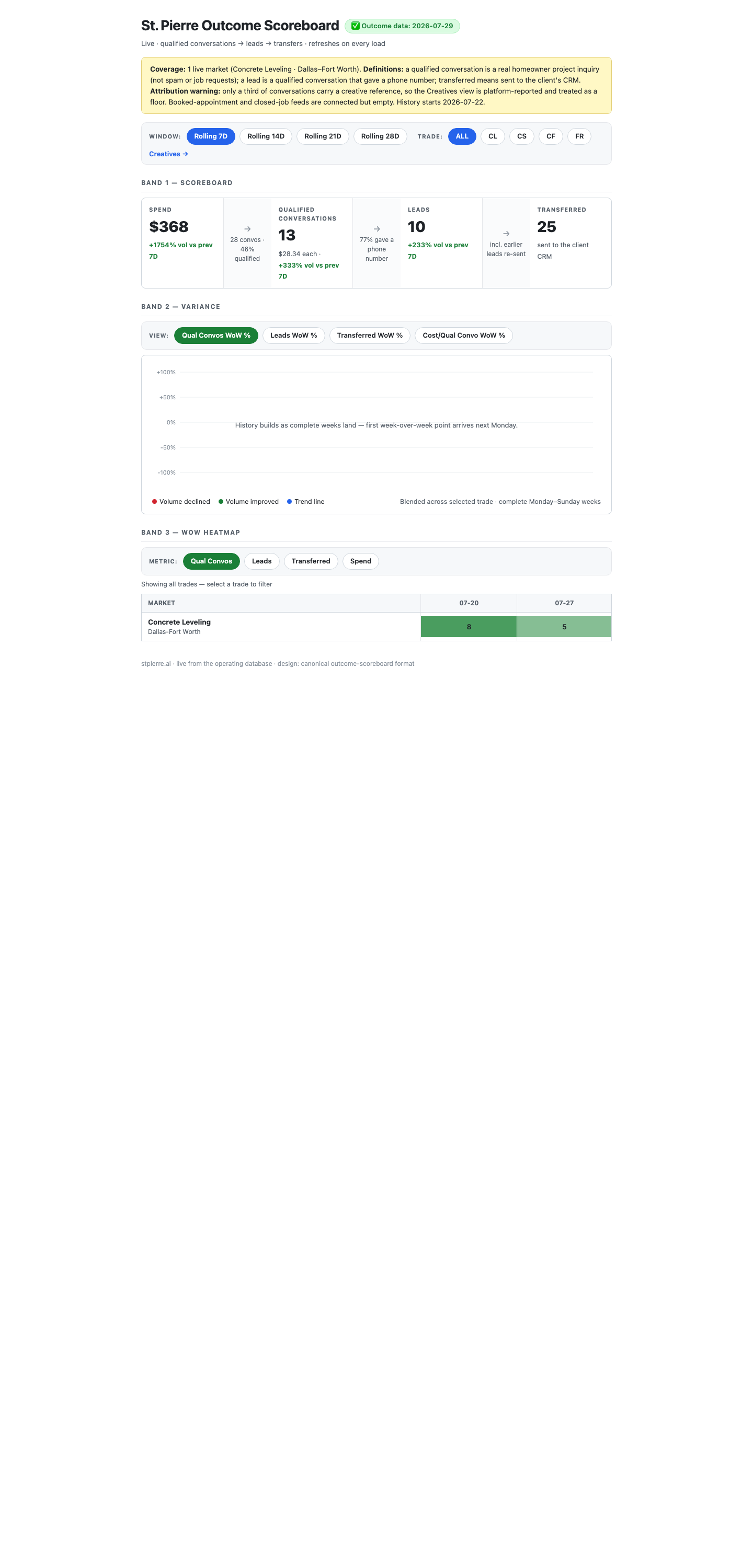
Live right now: 25 transfers claimed against 10 leads. Twelve of those 25 are your own test phone. The real figure is 13.
It's worse than a wrong number. 25 transfers against 10 leads is impossible. Rather than flagging that, the page prints its own excuse underneath: "incl. earlier leads re-sent." That string is hardcoded to appear whenever transfers exceed leads. It isn't re-sent leads. It's you texting yourself.
Root cause: every calculation on that view filters out test records — leads, appointments, jobs — except the transfers one. A single missing line.
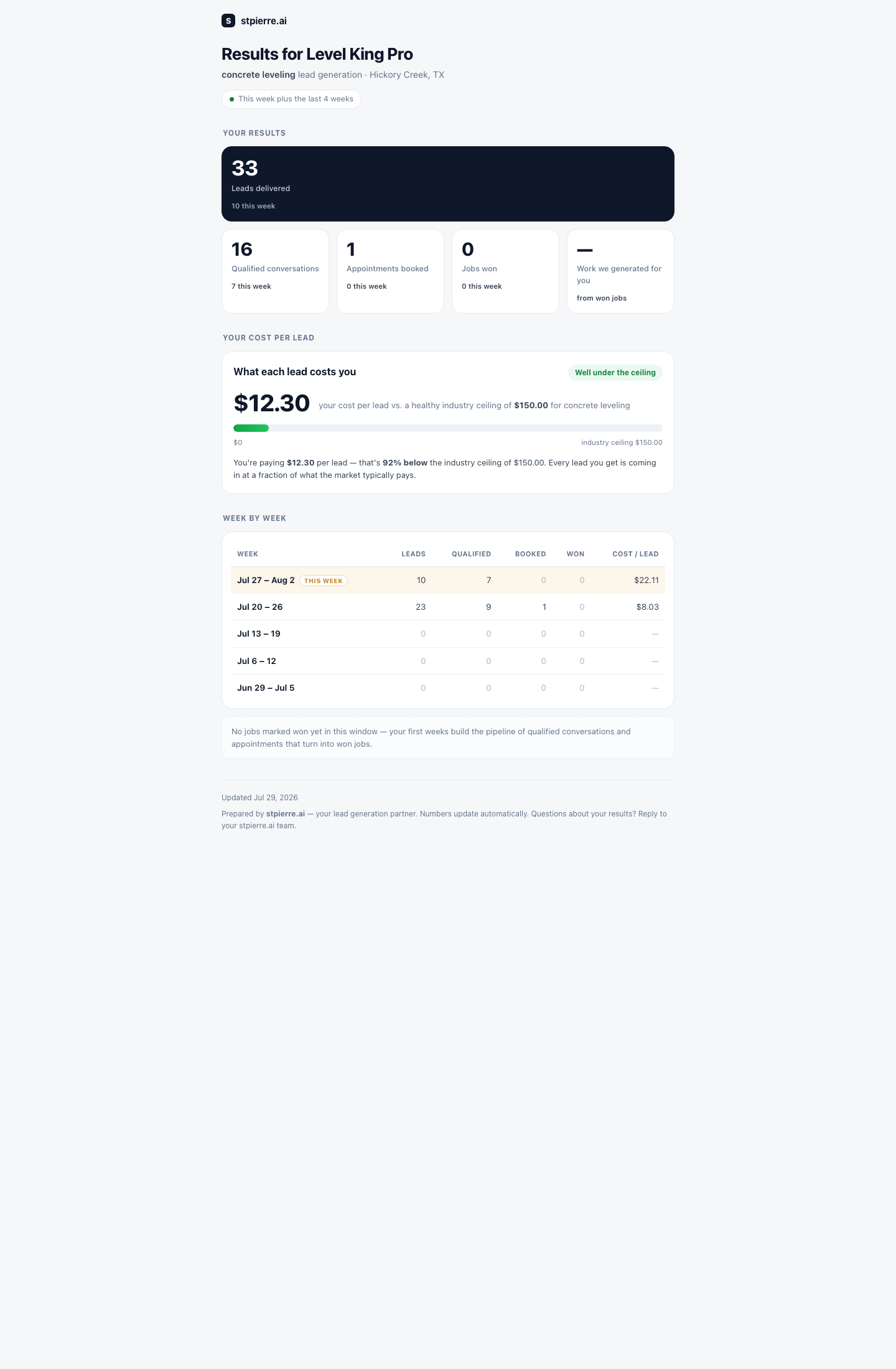
Your client-facing report always says "updated today"
The footer date comes from the viewer's own browser clock. It will read "updated today" on any device, on any day, forever — even if the feed died months ago.
The client's actual numbers are clean — that view does filter test records properly. Only the date lies. But this is the page a paying client looks at.
Two live dashboards contradict each other
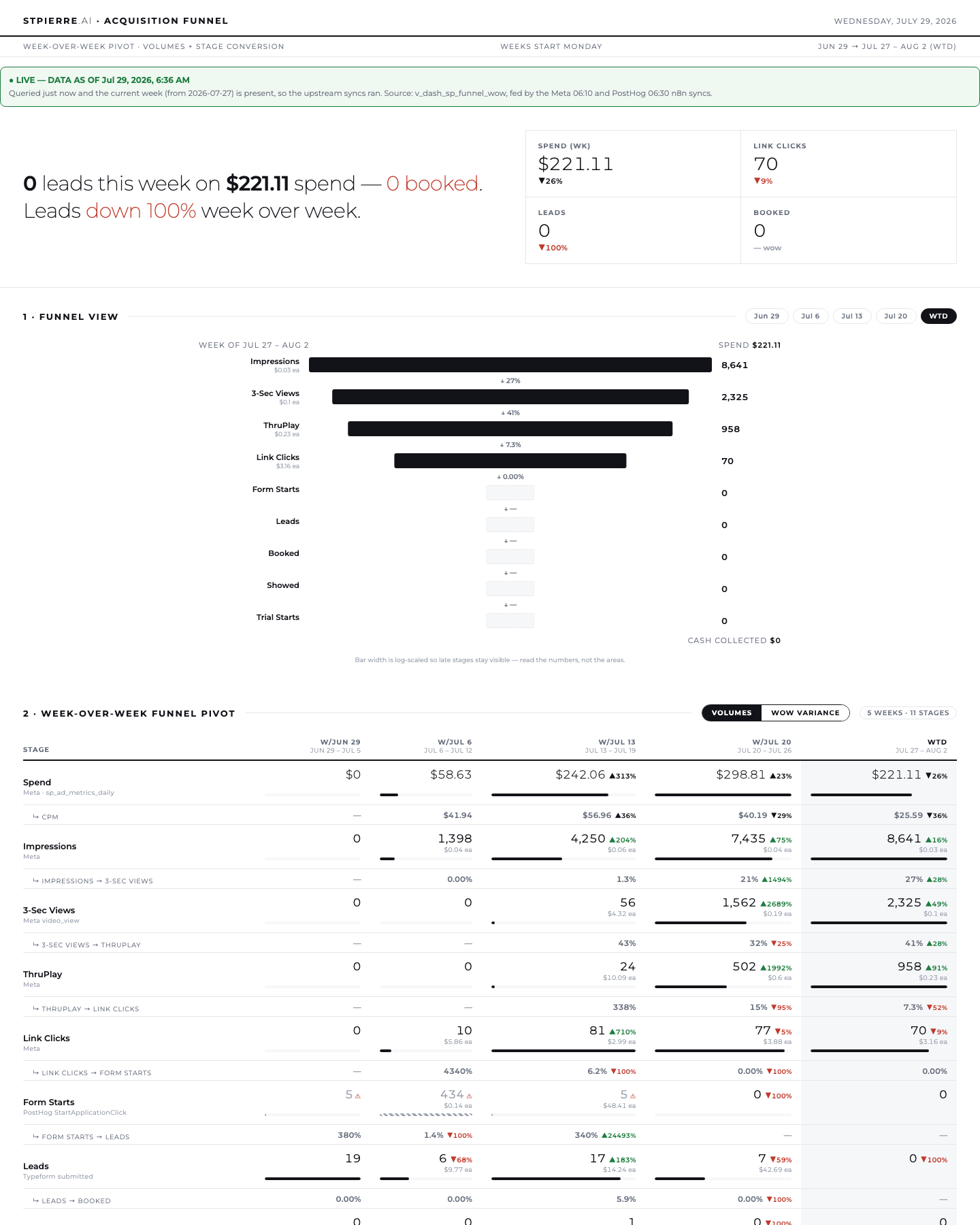
Same week, same database: the scoreboard says 10 leads, this says "0 leads — down 100% week over week". Both claim to be fresh. They count different things and neither page says so.
The one that gets it right
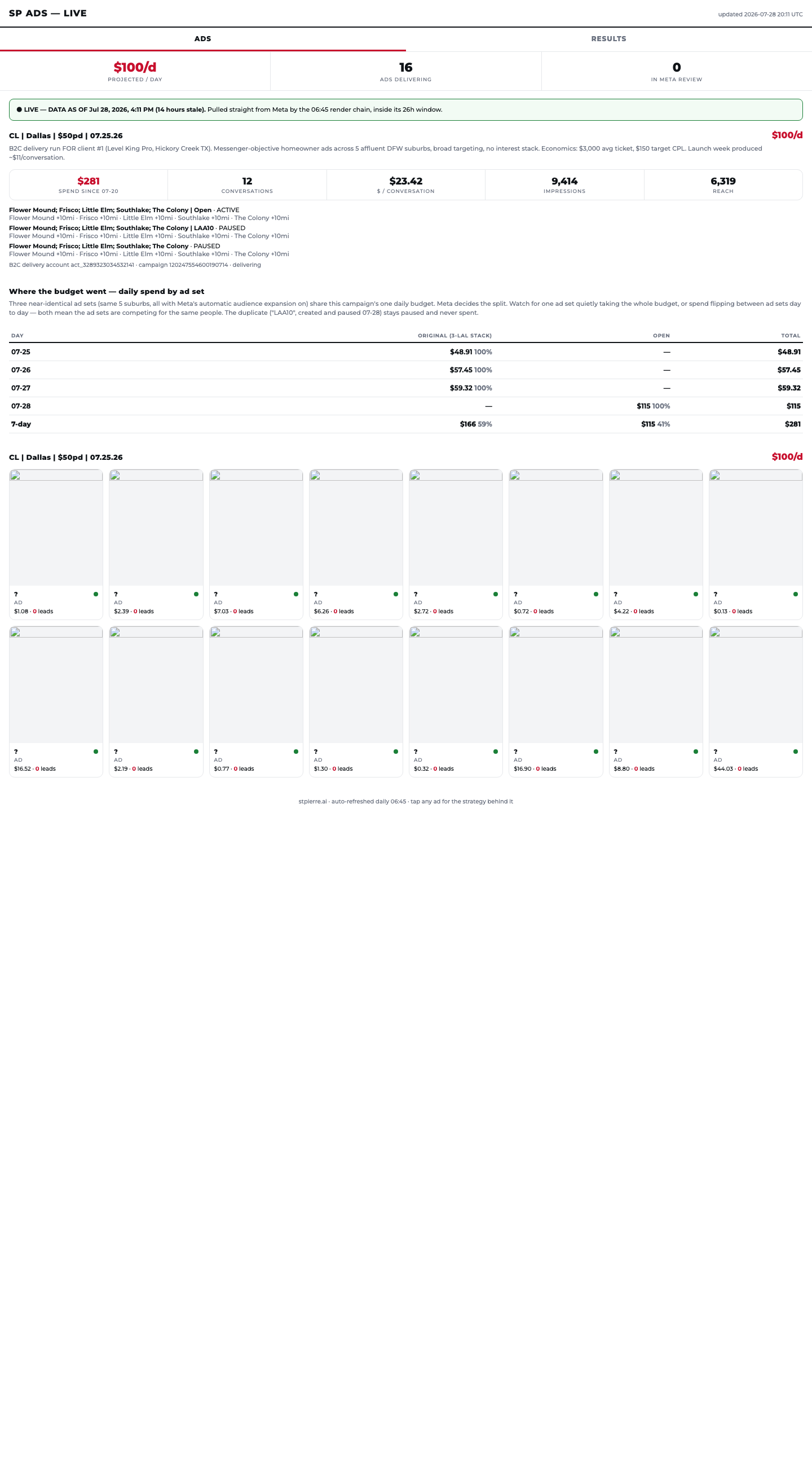
The standard the others should meet: exact data age in hours, named source, and the freshness window it's inside — stated before any number. It's honest even when the news is bad.
Recommendation
Make the campaign scoreboard your pipeline view. Don't build a new one.
It already carries 7 of your 9 metrics and has columns waiting for the other two.
It's the only surface scoped correctly to the Dallas concrete funnel rather than blending both businesses.
It reads live data, so it can't silently freeze the way the build-time pages have.
Three changes get it to all nine: fix the test leak, pull the video metrics from the table it already reads, and make the untracked stages say "not tracked yet" instead of a confident zero.
One thing to decide deliberately: transfers are counted in the week they were sent, conversations in the week they arrived. A lead that arrives Sunday and transfers Monday lands in two different columns. Worth settling before you read rates off the page.
8 Two screens only you can click
Agents can't drive the GoHighLevel workflow builder. These two need you.
8.1 — A workflow that never fires
The workflow meant to notify the system when a lead is tagged qualified is published but has no trigger attached. So it never runs, and a poller checks every fifteen minutes during the day and every hour overnight to work around it.
That poller is the last slow link in an otherwise instant chain. Adding the trigger removes up to an hour of delay per lead.
8.2 — Something is force-tagging people as qualified
Esther Williams Pilgrim wrote "I'm so sorry! I opened this thread on accident" and was filed as a qualified lead. The bot's own rule forbids that, and the rule is live and correct — so something inside a workflow is overriding it.
Workflow internals can't be read through the API. This one needs eyes on the builder.
Worth checking while you're in there: one workflow is contracted never to publish, but an audit file reports it as published — and it holds pre-27-July copy. That's the only place in the system where an unintended auto-send could be sitting.
9 What happens the moment you say go
Order
What
Who
Effort
1
Delete the ZIP filter that's deleting leads
me
30 min
2
Fix the test leak in the transfers count
me
one line
3
Bot script + the nine answers
your go
2–3 h
4
Remove the out-of-area rejection everywhere
me
1 h
5
Lead = phone + project, in all three places
me
1.5 h
6
Widen the re-check loop so it outlives the follow-ups
me
45 min
7
The two GoHighLevel screens
you
35 min
8
Consent turn + start recording consent
your go
1 h
9
Fix the consent gate so the ladders can actually send
me
1 h
10
Decide where SMS lives, then build the handover
you decide
0.5–2 d
Items 1, 2, 4, 5 and 6 change nothing anyone receives. They recover leads immediately and I'd start there.
Everything on this page is reversible. Bot config changes are a full-object replace with the previous version saved first. Backend changes are single predicates. Nothing gets deleted, and every change gets a ledger row.